 Nadya Dudka
  Andrew Dyuzhov
 This is a reference table of where 13 AI coding agents keep your API keys on disk: Aider, Atomic Agent, Claude Code, Cline CLI, Codex CLI, Crush, Gemini CLI, GitHub Copilot CLI, Goose, Kilo CLI, OpenCode, Pi and Qwen Code. For each one we list the exact file path per OS, the file format, its permissions, whether the OS keychain is used, and whether the vendor offers a hosted place to store your provider keys. Every row links to the doc or source file it came from.
Disclosure: we build Atomic Agent. It sits in the table in alphabetical order like everyone else, and its row includes the weak spot: plaintext files, no keychain.
Why key files matter after October 17
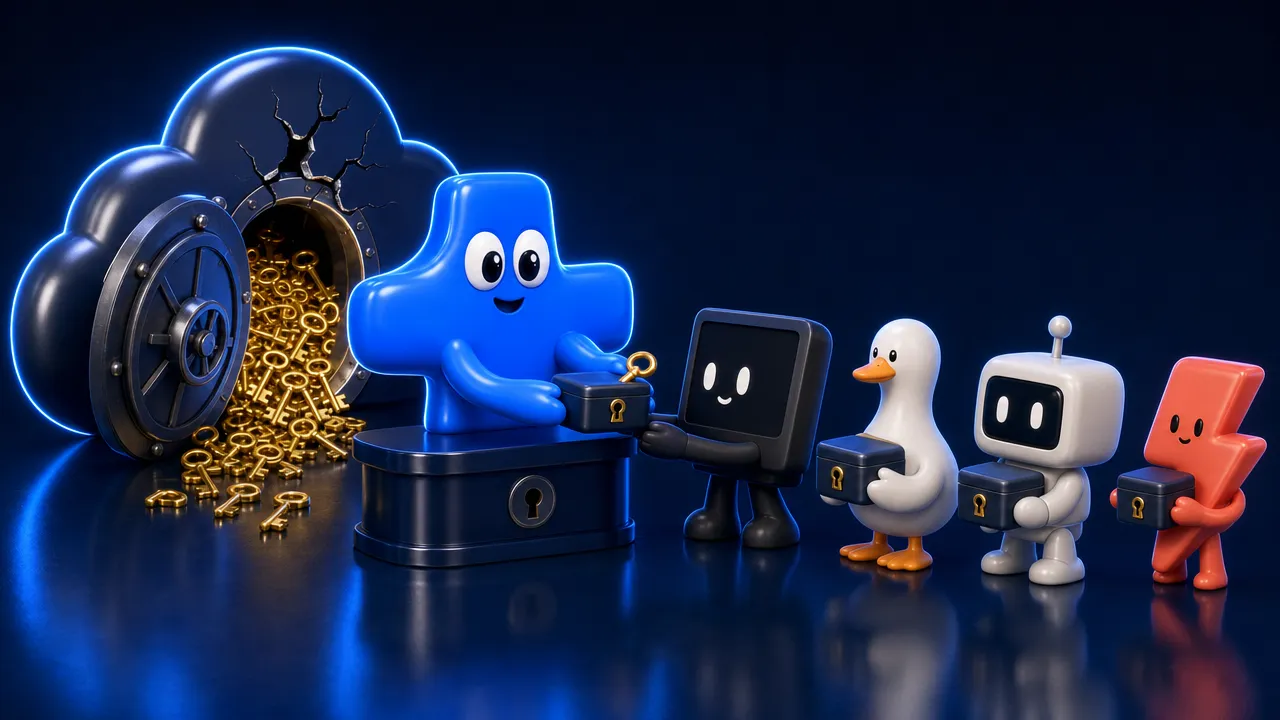
Two things happened in the same month. On October 17, 2026, OpenCode told some Console users that provider keys saved in the hosted Console may have been exposed. And security researchers published two reports showing infostealers now collect AI coding agent files from developer machines. So the question “where is my key?” now has two halves.
The first half is the vendor. OpenCode said on X on October 17 that the breach “impacted 1.4% of OpenCode Console users”, and its customer email warned that third-party provider keys saved in a workspace may have been exposed (DEV Community). Keys added only in the local CLI were outside that system.
The second half is your own disk. On September 8, Gen Digital reported that the Amatera stealer targets data from Cline and Continue, the Remus stealer targets Claude, Cursor and OpenCode, and Djinn Stealer on macOS adds Codex, Gemini and Kilo to that list. On October 15, Symantec reported that the Aoki stealer takes .claude.json, Codex config.toml and .env files, plus tokens for GitHub Copilot, Cursor and Gemini. Stealers work from lists of known paths. The table below is that list, so you can check those paths first.
Key findings
Out of 13 agents, 2 use the OS keychain by default on every OS and 2 more use it in part. 9 write plaintext files by default, and 7 of those 9 restrict the file to 0600. Three vendors offer a hosted place for your provider keys: OpenCode, Kilo and GitHub.
- Keychain by default on every OS: 2 of 13. Goose (provider keys) and GitHub Copilot CLI (its GitHub login).
- Keychain by default in part: 2. Claude Code on macOS only, and Gemini CLI for an API key typed into the app when a keychain is available (never on WSL). Their other paths are files.
- Keychain as an option: 2. Codex CLI with
cli_auth_credentials_store = "keyring", and Pi with a key defined as a shell command that reads the macOS Keychain. - Plaintext file by default: 9 of 13. Aider, Atomic Agent, Cline CLI, Codex CLI, Crush, Kilo CLI, OpenCode, Pi and Qwen Code.
- 0600 permissions: 7 of those 9. Atomic Agent, Cline CLI, Codex CLI, Crush, Kilo CLI, OpenCode and Pi set owner-only mode in code. Aider and Qwen Code write with your default umask, which on most systems means 0644.
- Vendor-side key store: 3 of 13. OpenCode Console and Kilo’s web BYOK page are optional and personal. GitHub lets Copilot enterprise owners, and org owners they allow, add provider keys (public preview). Charm’s Hyper (BYOK on its Enterprise plan) and Pi’s alpha Radius gateway list BYOK without documenting storage, so we left them out of the count.
- Fallbacks are plaintext. Claude Code on Linux and Windows, Goose without a keyring, Copilot CLI without a keychain (it asks first) and Gemini CLI’s OAuth login all end up in a file.
How we checked
We checked every agent in October 2026 against the release listed in the table. For 11 of the 13 we read the source code that writes the key file; for Claude Code and GitHub Copilot CLI we relied on official docs, because both are closed source.
Where we read source, we used the default branch at the time of checking and the release tag where it mattered: OpenCode at tag v1.19.3 plus its V2 docs, and Aider at tag v0.86.0. Atomic Agent was checked against its code at v0.6.9 and Desktop v0.0.3 (main as of October 15, 2026). “Permissions” means the mode the code sets on macOS and Linux. Windows has no POSIX modes; unless a row says otherwise, those files inherit the folder’s access list (Atomic Agent also restricts .env to your account with icacls). We did not run any agent or inspect a real install, so a value marked “not documented” means we found no statement either way.
The table: where each agent keeps your keys
Most agents keep keys in a JSON or dotenv file in your home folder, readable only by your user account. Goose and Copilot CLI lean on the OS keychain everywhere, Claude Code on macOS, and Gemini CLI for typed keys. OpenCode and Kilo are the two with an optional web page that stores your provider keys on their side.
| Agent | Version checked | Key file path(s) | Format | Permissions | Keychain | Vendor stores keys? | Source |
|---|---|---|---|---|---|---|---|
| Aider | v0.86.0 | ~/.aider/oauth-keys.env (OpenRouter login); otherwise your own .env or .aider.conf.yml in home, git root or current folder | dotenv / YAML | umask default (no explicit mode) | None | No | docs, code |
| Atomic Agent | v0.6.9, Desktop v0.0.3 | ~/.atomic-agent/.env (terminal), ~/.atomic-agent/config.json (desktop), all OS | dotenv / JSON | 0600 (config.json since v0.6.7); .env also owner-only ACL on Windows | None | No | code, code |
| Claude Code | v2.1.302 | macOS: Keychain. Linux and macOS fallback: ~/.claude/.credentials.json. Windows: %USERPROFILE%\.claude\.credentials.json. Console sign-in profile: ~/.config/anthropic (Windows: %APPDATA%\Anthropic) | Keychain item / JSON | 0600 (Linux, macOS fallback); profile ACL on Windows | Default on macOS | No | docs |
| Cline CLI | cli-v3.0.73 | ~/.cline/data/settings/providers.json, all OS | JSON | 0600, folder 0700 | None | No | code |
| Codex CLI | rust-v0.163.0 | ~/.codex/auth.json (Windows: %USERPROFILE%\.codex\auth.json), holding ChatGPT tokens or your OpenAI API key | JSON | 0600 (macOS, Linux) | Opt-in (keyring) | No | docs, code |
| Crush | v0.98.1 | ~/.local/share/crush/crush.json. Windows: %LOCALAPPDATA%\crush\crush.json | JSON | 0600 | None | Enterprise only (Hyper BYOK), storage not documented | code, Hyper |
| Gemini CLI | v0.64.0 | Typed key: keychain item gemini-cli-api-key, fallback ~/.gemini/gemini-credentials.json. Google login: ~/.gemini/oauth_creds.json. Env key: project .gemini/.env or .env first, then ~/.gemini/.env | Keychain / obfuscated JSON / JSON / dotenv | 0600 (fallback file, oauth_creds.json); .env is yours to manage | Default for typed key (not on WSL) | No | code, code |
| GitHub Copilot CLI | v1.0.98 | GitHub token: keychain service copilot-cli, fallback ~/.copilot/config.json (asks first). BYOK: env vars only | Keychain / JSON | Not documented | Default | Enterprise or org owners (preview) | docs, BYOK |
| Goose | v1.55.0 | Keyring service goose; fallback ~/.config/goose/secrets.yaml (Windows: %APPDATA%\Block\goose\config\secrets.yaml) | Keyring / YAML | 0600 (macOS, Linux) | Default | No | code |
| Kilo CLI | v7.8.12 | ~/.local/share/kilo/auth.json, all OS | JSON | 0600 | None | Yes, optional (app.kilo.ai/byok) | code, docs |
| OpenCode | v1.19.3; V2 pre-release (2.0.32 tag) | v1: ~/.local/share/opencode/auth.json. V2: ~/.local/share/opencode/opencode.db, all OS | JSON / SQLite | 0600 (auth.json; opencode.db in V2) | None | Yes, optional (Console) | code, V2 docs |
| Pi | v1.3.0 | ~/.pi/agent/auth.json, all OS | JSON | 0600, folder 0700 | Opt-in (shell command) | Unclear (Radius alpha) | code |
| Qwen Code | v0.25.2 | ~/.qwen/settings.json (env block, written by /auth), or your own .qwen/.env | JSON / dotenv | umask default (no explicit mode) | None | No | docs |
Paths starting with ~ mean your home folder on every OS, including Windows, unless the row says otherwise. Most agents above also read keys from environment variables. That keeps keys out of the agent’s files, and where the variable itself comes from is up to you.
Agent by agent
Each entry below gives the path in code font, what the agent does by default, any setting that moves the file, and the one change that moves your key somewhere better, if the agent offers one. Entries are in the same alphabetical order as the table, Atomic Agent included.
Aider
Aider never writes your provider keys unless you use its OpenRouter login, which appends OPENROUTER_API_KEY to ~/.aider/oauth-keys.env with no explicit file mode (onboarding.py at v0.86.0). Otherwise it reads keys from flags, environment variables, a .env file (or one passed with --env-file) or .aider.conf.yml in your home folder, git root or current folder (API keys doc). Aider adds .aider* to .gitignore, and .env too if one exists in the git root. Its latest release, v0.86.0, is from August 9, 2025. Run chmod 600 ~/.aider/oauth-keys.env if the file exists.
Atomic Agent
Atomic Agent keeps cloud keys in ~/.atomic-agent/.env when you set them up in the terminal, and inline in ~/.atomic-agent/config.json when you use the desktop app. Both are plaintext, written 0600 on macOS and Linux (owner-only-file.ts); config.json got that mode in v0.6.7, so older installs tighten it on the next save. On Windows, .env is also restricted to your account with icacls (windows-acl.ts), while config.json inherits the folder’s access list. There is no keychain support and no Atomic-hosted key store, and the default provider is a local model that needs no key. The desktop app passes config to the agent on stdin, which keeps keys out of the process list.
Claude Code
Claude Code saves its login in the encrypted macOS Keychain. On Linux, and as the macOS fallback when the Keychain rejects the write, it uses ~/.claude/.credentials.json with 0600; on Windows the same file sits under %USERPROFILE% and is restricted to your account by default (authentication docs). A Console sign-in also keeps a profile in ~/.config/anthropic (%APPDATA%\Anthropic on Windows), and CLAUDE_CONFIG_DIR moves the credentials. An ANTHROPIC_API_KEY from your environment is not written to disk; Claude Code only remembers whether you approved it. Anthropic has no hosted store for third-party keys. On Linux, the practical move is a secret manager feeding the environment variable at launch.
Cline CLI
Cline CLI writes provider keys to ~/.cline/data/settings/providers.json, mode 0600 inside a 0700 folder, with no keychain (provider-settings-manager.ts). Passing -k on a run also saves the key there (CLI reference), and CLINE_DIR, CLINE_DATA_DIR or CLINE_PROVIDER_SETTINGS_PATH move it. Enterprise remote config sets providers centrally, while members’ keys stay local. One caveat: org settings, which can include access keys for prompt storage, land in .cline/enterprise/ inside your project, and Cline’s docs say to gitignore it.
Codex CLI
Codex CLI defaults to cli_auth_credentials_store = "file", which writes ~/.codex/auth.json (ChatGPT tokens, or your OpenAI API key if you log in with one) with 0600 on macOS and Linux (defaults.toml). OpenAI’s auth docs say to treat that file like a password, and CODEX_HOME moves it. Set cli_auth_credentials_store = "keyring" in ~/.codex/config.toml to move it to the OS keychain, auto to try the keychain first, or ephemeral to keep it in memory only. Keys for custom providers normally come from the env_key variable at runtime and are never written to auth.json, though the discouraged experimental_bearer_token setting puts a key in plain text in config.toml (model-provider-info).
Crush
Crush writes keys you paste in the UI to ~/.local/share/crush/crush.json (%LOCALAPPDATA%\crush\crush.json on Windows) as providers.<id>.api_key, and OAuth tokens, refresh tokens included, under providers.<id>.oauth, with 0600 (store.go). There is no keychain dependency, and CRUSH_GLOBAL_DATA or XDG_DATA_HOME move the file. Crush also reads environment variables, so you can skip the UI prompt and feed keys from a secret manager. Charm’s optional Hyper gateway advertises bring-your-own frontier-lab keys on its Enterprise plan; we found no documentation of how it stores them.
Gemini CLI
Gemini CLI has three storage paths. An API key typed into its dialog goes to the OS keychain under gemini-cli-api-key when one is available (never on WSL), falling back to ~/.gemini/gemini-credentials.json, encrypted with AES-256-GCM under a key derived from a fixed passphrase, your hostname and your username, which any program running as you can recompute (fileKeychain.ts). A Google login is saved as plaintext ~/.gemini/oauth_creds.json with 0600 unless you set GEMINI_FORCE_ENCRYPTED_FILE_STORAGE=true, which moves it to the keychain (service gemini-cli-oauth) or the encrypted file (oauth2.ts). GEMINI_API_KEY in a .env file is plaintext; Gemini only reads it, checking the project’s .gemini/.env and .env before ~/.gemini/.env.
GitHub Copilot CLI
Copilot CLI stores your GitHub OAuth token in the OS keychain under copilot-cli, and asks before falling back to plaintext ~/.copilot/config.json (authenticate docs). BYOK keys come from COPILOT_PROVIDER_API_KEY, and we found no step that saves them (BYOK docs). On the vendor side, Copilot Business and Enterprise let enterprise owners, and org owners they allow, add provider keys for custom models, handled server-side and in public preview (BYOK concepts). The CLI is closed source, so this row rests on docs.
Goose
Goose stores provider keys in the system keyring under the service goose on macOS, Linux and Windows (base.rs). If no keyring service is reachable, or GOOSE_DISABLE_KEYRING is set in the environment or config.yaml, it falls back to plaintext ~/.config/goose/secrets.yaml (%APPDATA%\Block\goose\config\secrets.yaml on Windows), written 0600 on macOS and Linux. On a headless Linux box without a keyring service, check whether that file exists. Goose has no vendor-hosted key store.
Kilo CLI
Kilo CLI is a fork of OpenCode and inherits its local design: plaintext ~/.local/share/kilo/auth.json (%USERPROFILE%\.local\share\kilo\auth.json on Windows) with 0600 (auth/index.ts). Kilo also offers an optional web page, app.kilo.ai/byok, where you can paste Anthropic, OpenAI, Google and other keys so the Kilo Gateway uses them (BYOK docs). That page puts a copy of your key on Kilo’s side (Kilo is now owned by Anaconda). If you want keys on your machine only, use /connect locally and skip the web page.
OpenCode
The current release, v1.19.3, writes provider keys from /connect to ~/.local/share/opencode/auth.json with 0600 (auth/index.ts); its opencode.db already holds Console login tokens. The V2 line, published as tags with npm latest still on 1.19.3, imports auth.json into opencode.db, created with 0600, and writes new keys only there (V2 docs); neither the docs nor the migration delete the old file. On Windows both sit under %USERPROFILE%\.local\share\opencode. We found no keychain or encryption code. The breached system was the optional Console, which “stores the credential and serves each provider through its gateway” (Console docs). Our OpenCode vs Claude Code comparison puts the two key stores side by side.
Pi
Pi writes keys to ~/.pi/agent/auth.json, mode 0600 inside a 0700 folder (auth-storage.ts); an existing file keeps its old mode, and PI_CODING_AGENT_DIR moves it. A key can instead be a shell command such as !security find-generic-password ..., which reads it from the macOS Keychain at use time (providers doc). That is the easiest keychain setup in this list. Earendil’s optional Radius gateway, in early alpha, lists “BYOK credential providers” in its API, and its storage is not documented (Radius agent doc).
Qwen Code
A key typed into Qwen Code’s /auth dialog lands in an env block in plaintext ~/.qwen/settings.json, written with no explicit file mode, so a new file usually gets 0644 (auth docs). The docs headline that one-file settings.json setup but advise .qwen/.env for security, and environment variables work too. A legacy Qwen OAuth token sits in ~/.qwen/oauth_creds.json with 0600. We found keychain code for MCP tokens only, and no hosted store for third-party keys. Run chmod 600 ~/.qwen/settings.json after setup.
How to check your own machine
Run the commands below to see which of these files exist on your machine and who can read them. On macOS and Linux, a mode of -rw------- means owner-only (0600); anything else (ignore a trailing @ or +) means another account may be able to read it. None of these commands print key values.
List every file from the table that exists:
for f in ~/.aider/oauth-keys.env ~/.aider.conf.yml ~/.atomic-agent/.env \ ~/.atomic-agent/config.json ~/.claude/.credentials.json ~/.claude.json \ ~/.config/anthropic ~/.cline/data/settings/providers.json ~/.codex/auth.json \ ~/.codex/config.toml ~/.local/share/crush/crush.json ~/.gemini/.env \ ~/.gemini/oauth_creds.json ~/.gemini/gemini-credentials.json ~/.copilot/config.json \ ~/.config/goose/secrets.yaml ~/.local/share/kilo/auth.json \ ~/.local/share/opencode/auth.json ~/.local/share/opencode/opencode.db \ ~/.pi/agent/auth.json ~/.qwen/settings.json ~/.qwen/.env ~/.qwen/oauth_creds.json; do [ -e "$f" ] && ls -la "$f"doneFind stray key files deeper in your home folder, including project .env files. On macOS this walks Desktop, Documents and Downloads, so the system may ask for folder access; you can deny it.
find ~ -maxdepth 4 \( -name auth.json -o -name .credentials.json \ -o -name oauth_creds.json -o -name '*.env' -o -name .env \) \ -not -path '*/node_modules/*' 2>/dev/nullShow only the ones your group or other accounts can read (on macOS every local user shares the staff group), then tighten the ones you find:
find ~ -maxdepth 4 \( -name auth.json -o -name '*.env' -o -name .env \) \ \( -perm -004 -o -perm -040 \) 2>/dev/null[ -f ~/.aider/oauth-keys.env ] && chmod 600 ~/.aider/oauth-keys.env[ -f ~/.qwen/settings.json ] && chmod 600 ~/.qwen/settings.jsonOn macOS, check whether keychain items exist (this prints metadata only, no secret):
security find-generic-password -s goosesecurity find-generic-password -s copilot-clisecurity find-generic-password -s gemini-cli-api-keysecurity find-generic-password -s gemini-cli-oauthOn Windows, in PowerShell:
Get-ChildItem $HOME -Recurse -Depth 5 -Force -ErrorAction SilentlyContinue ` -Include auth.json,.credentials.json,oauth_creds.json,crush.json,providers.json,secrets.yaml,.env,*.envFinally, make sure none of them is in git: git ls-files | grep -E '(^|/)(\.env|auth\.json)$' inside each project.
What to do if one of these files leaked
Treat any key in a leaked file as compromised and revoke it at the provider. Deleting the key from the agent, or deleting the file, does nothing to a copy someone already has. Then issue a new key, check usage since the suspected leak date, and set a spend limit.
- Revoke the key in the provider dashboard (OpenAI, Anthropic, Google, OpenRouter and so on).
- Create a new key, ideally one per tool, so the next leak has a smaller blast radius.
- Check usage and billing from the suspected leak date, and ask the provider about refunds for usage you did not make.
- Set a monthly spend limit at the provider.
- Confirm the old key now returns 401.
- If the file was readable by others or synced somewhere, fix that before you paste the new key in.
We cover this step by step in how to store AI API keys securely.
Frequently asked questions
Which setup keeps your keys safest?
The safest setup is a key that lives in the OS keychain or a password manager, reaches the agent at launch, and exists nowhere else. Goose does that by default, Codex CLI and Pi do it with one change, and most of the others accept an environment variable you can fill from a secret manager.
If your agent only offers a file, keep it at 0600, keep it out of git and synced folders, and give that agent its own key with a spend limit. Skip optional web pages that store provider keys unless you need a shared team gateway, because each one adds a second copy of the key on someone else’s servers. A local model is the only setup in this table that needs no provider key at all; Atomic Agent defaults to one, and you can download it here.
We will update this table when any of the 13 agents changes where it stores keys. If you maintain one of them and a row is out of date, tell us and we will fix it with a link to your change.