/01
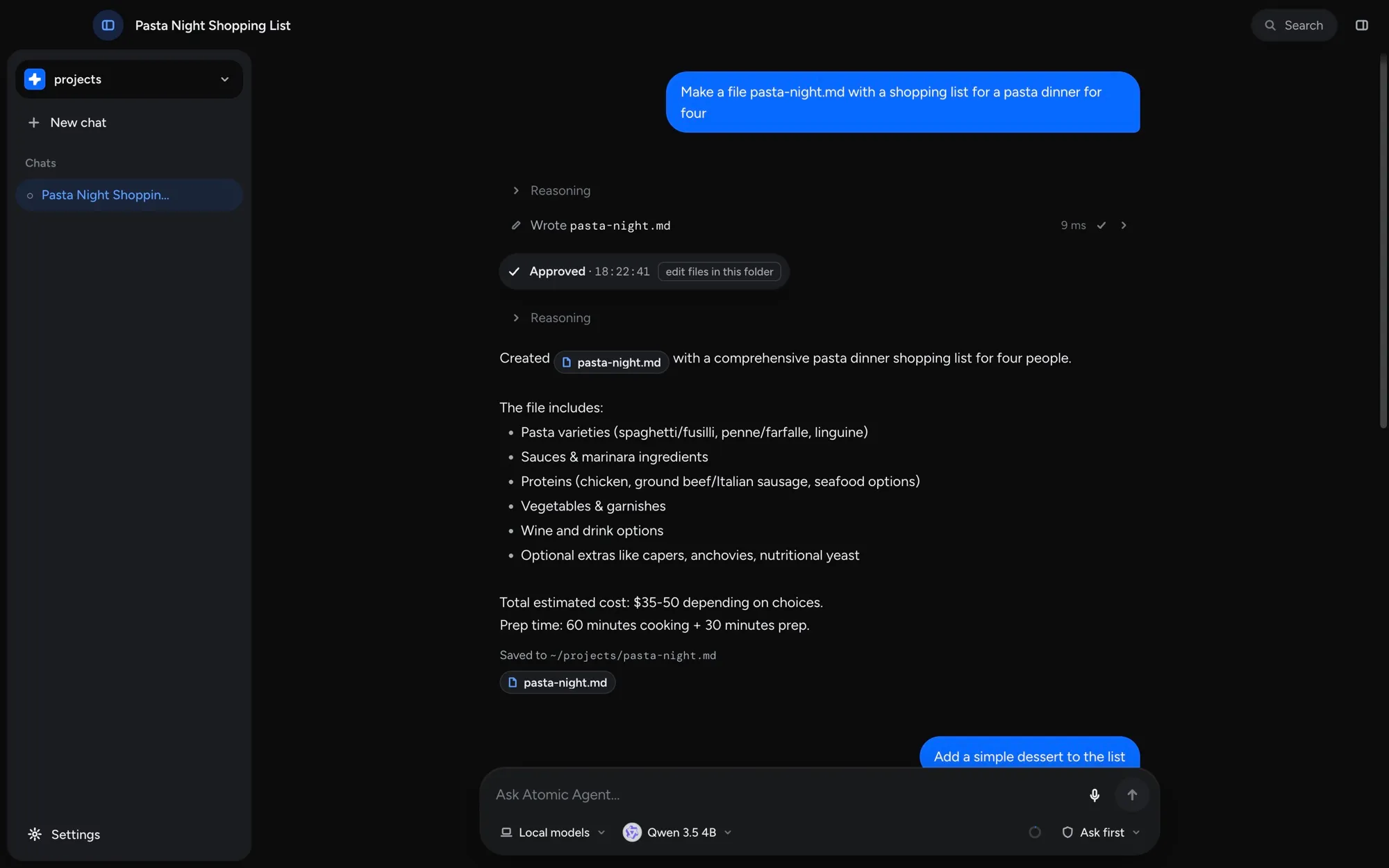
You ask
A task, in plain words, from the desktop app, the terminal or Telegram.
One model plans and reviews, workers build the parts, several at once, and either side can be a local or cloud model.
Apple Silicon (M1 or later) · macOS 14+
or install from the terminal
 Hermes Agent
GAIA Level 1 – 53 real-world tasks on the same model and same machine
Accuracy · GAIA Level 1
 Atomic Agent
 Hermes Agent
37/53 solved. Grammar-constrained decoding (GBNF) forces structurally-valid tool calls; bounded tails keep reasoning on-budget.
217s vs 351s. cache_prompt + slot_id reuse across steps, plus parallel read-only batches that overlap I/O after a single inference.
Grammar-locked actions and step-by-step checks mean Atomic Agent rarely walks into an unrecoverable wrong answer.
↻ the loop repeats – KV-cache keeps each step cheap, nothing re-sent to a server
A task, in plain words, from the desktop app, the terminal or Telegram.
One pass on your own GPU returns a list of next actions — grammar-locked, always valid.
Browser, files and shell — in parallel. Pauses for approval on risky steps.
Loops with cached context, so each step stays fast — until it replies or you stop it.
Questions or feedback? Grab 15 minutes with the team, any slot works.
Book a callthe engineering that keeps it fast, private, and running on your own machine
A byte-stable prompt prefix means every turn reuses the same cached compute. Nothing is re-encoded, and inference stays on your own hardware.
prefix ▓▓▓▓▓▓▓▓▓▓ cachedtail ░░░ re-computed────────────────────step N KV-cache HIT ✓
Grammar-constrained decoding forces structurally valid actions, even from tiny local models. How GBNF tool calling works
root ::= "[" call ("," call){0,15} "]"call ::= { "tool":…, "args":{…} }
Curated Q4 GGUF quants fit a long window on an everyday GPU.
fp16 ████████ ~24 GBq4 ██ ~6.7 GB
Recall injected in the tail, a few hundred tokens, cache intact.
SELECT content FROM memories_fts ORDER BY rank→ ~320 tokens
It pulls the backend and model for you. No accounts, no bills.
$ atomic-agent models startchat: started, healthy● on port 8080


 Atomic Agent on OpenRouter
Real production traffic: teams run Atomic Agent against cloud models through OpenRouter.
The desktop app is out for Mac, Windows and Linux. Download it here, then leave your email and we'll tell you when a new version ships.



Fusion, answered.
Fusion is one of Atomic Agent's three run modes, next to Local and Cloud. It gives one job to two models: an orchestrator that plans, writes a brief for each part and reviews the result, and workers that build those parts, several at once. The orchestrator never edits files itself; it checks the work and sends weak parts back out.
Multi-agent orchestration means one coordinating agent splits a task, hands the pieces to other agents and assembles what comes back. In Fusion the coordinator is the orchestrator model, the workers are short-lived agent sessions that write their files straight to disk, and the orchestrator can check each part with syntax checks, test commands or a headless browser before it accepts it.
Both work, and you can swap the two seats at any time. A cloud model planning for local workers is the default and suits jobs that split into many small parts. A local model planning for cloud workers suits code-heavy jobs with a lot of output, because the long writing happens on the cloud side.
Not always. Local workers have no token bill, so with cloud planning and local building only the orchestrator spends API tokens. Long review rounds can still cost more than a cloud model working alone, so set a money cap per turn (llm.runMode.fusion.turnBudgetUsd in the config file): once it is reached, the turn stops starting new work and reports back.
A 27B-class model at 4-bit is practical from a GPU with around 24 GB of memory, or an Apple Silicon Mac with enough unified memory. Parallel local workers share one GPU, so on smaller cards a run can stretch into hours. In the swapped setup the local model plans, so it needs the same hardware. With both seats in the cloud, any machine that runs the app is enough.
Only the local side does. Whichever seat runs in the cloud sees your request and the file contents it works with, so that provider receives them. If nothing should reach a cloud provider, use Local mode instead of Fusion.
In the desktop app, pick Fusion in the composer and choose a provider for each role; a local seat also lets you pick which downloaded model runs. In the terminal version, run /runmode fusion, and /runmode swap to trade the seats. You need two models, usually a cloud model with an API key and a local model. In the terminal they must come from two configured providers.
Be the first to know about new releases
We'll email you the download link.
Great news,
you are in!
You're subscribed.
We'll email you when a new release ships.