
 Nadya Dudka
 Andrew Dyuzhov
An AI agent is only as useful as what it can see, and most agents can’t see the live web. Atomic Agent and Monid fix that with one key. We gave Atomic Agent three real jobs: a meeting brief on a company, a promo video and a list of founder leads. It used 7 Monid tools, and the data cost 34 cents.
Try it in one prompt. Once Monid is set up (it takes a minute), paste this into Atomic Agent:
Using Monid, brief me on Linear before my meeting tomorrow: funding, what people say on X and Reddit, their pricing page, and what ChatGPT says about them.
What is Atomic Agent?
Atomic Agent is an AI agent that runs on your own computer, as a desktop app or a terminal app. It’s open source on GitHub and works with any model: a free local model on your laptop, or a cloud model through OpenRouter when a task needs more power. It connects to services like Monid through skills and MCP servers.
You stay in control. Web requests, shell commands and file writes ask for your approval before they run. And it shows its work: in our tests, Atomic Agent told us which Monid tool it used for every step, what each one cost according to Monid’s own records, and which facts were a provider’s claims rather than verified.
What is Monid?
Monid is one gateway that gives AI agents more than 3,100 live data tools from over 100 providers. They cover web search, social media (X, Reddit, TikTok, YouTube), leads and contacts, company and funding data, people data, reviews, SEO, AI visibility (what ChatGPT says about a brand) and creative tools like video generation.
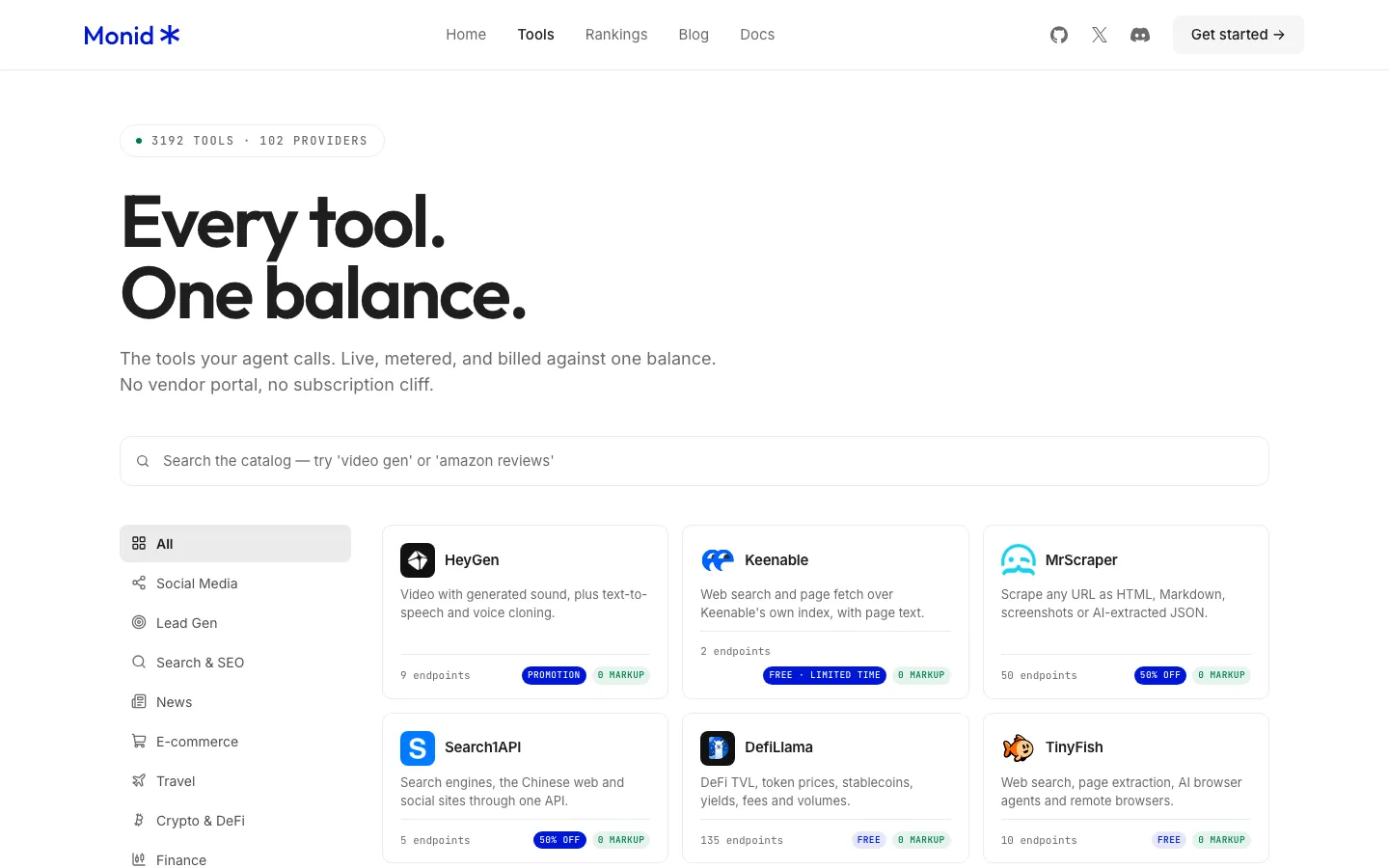
Monid’s tool catalog on November 16, 2026.
An agent uses Monid in three steps:
- Discover. Search for a tool in plain words. Free.
- Inspect. See the input, the output and the price. Free.
- Run. Pay only for this call.
Because the agent finds the right tool only when it needs one, it never has to load thousands of tools up front.
You pay as you go from a prepaid wallet, per call or per result, with no subscription, and the price is visible before every run. Workspace budgets and per-run caps limit spending. A run that would go over a limit comes back BLOCKED instead of charging. In our tests, a call that failed on the provider’s side (a rate limit) wasn’t billed.
Monid connects through MCP, a skill plus its CLI, or an HTTP API.
Why do they work well together?
Atomic Agent does the work, and Monid supplies the data, for cents. You get one account and one bill instead of a separate sign-up for every provider.
One honest note: Monid calls go out to the web and cost money, from a fraction of a cent to 18 cents per call in our tests. Your files and your agent stay on your computer.
What can Atomic Agent do with Monid? 3 real tasks
We ran these inside Atomic Agent on November 16, 2026. Prices are as of that date. Every cost is exactly what Monid charged, from Monid’s own record of each run, checked against the wallet balance before and after. Prompts are lightly shortened.
1. A company brief on Linear: $0.063, 5 tools
We picked Linear, a popular project tool for software teams, as an example company. Any company works the same way.
The prompt: “Using Monid, brief me on Linear before my meeting tomorrow: funding, what people say on X and Reddit, their pricing page, and what ChatGPT says about them.”
What Atomic Agent did: it split the request into 5 data jobs, ran each one through Monid and wrote one meeting brief. All 5 calls ran within about 25 seconds, and the whole task took about 90 seconds. It listed every tool with its exact cost, flagged off-topic X results (posts about “linear regression”) and marked which numbers were the provider’s claims.
| Monid tool (provider) | What came back | Cost |
|---|---|---|
| Company and funding (Fundable) | Founded 2019 in San Francisco, 101 to 250 employees, $134.2M raised across 4 rounds. Latest deal: a $99M secondary tender in August 2026 | $0.06 |
| X search (AnyAPI) | 20 top posts, including Linear’s cofounder on its agents and coding agent | $0.00049 |
| Reddit search (AnyAPI) | Praise for speed and simplicity next to Jira, plus criticism that it’s less flexible for complex enterprise processes | $0.00035 |
| Web screenshot (AnyAPI) | A full-page capture of Linear’s pricing page | $0.0013 |
| ChatGPT response (DataForSEO) | ChatGPT calls Linear “a project management and issue tracking tool designed primarily for software development teams” | $0.000729 |
| Total | $0.063 |
That’s 20 X posts for less than a twentieth of a cent, and a full-page screenshot for about a tenth of a cent.
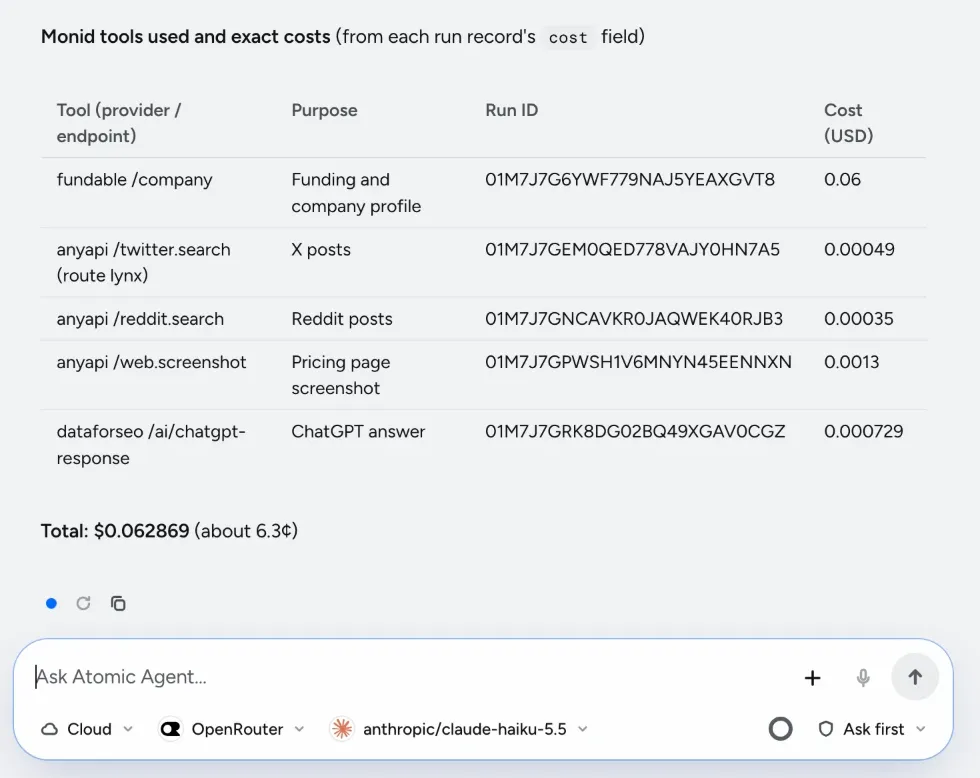
How Atomic Agent reported the Linear brief: every Monid tool, its run ID and its exact cost.
2. A promo video from one image: $0.18
The prompt: “Using Monid, turn this image of Atomic Agent into a 5-second promo clip.”
What Atomic Agent did: it sent our site image and a short creative prompt to Monid’s video tool, waited for the render and returned the finished clip with its exact cost. The task took about 65 seconds.
What Monid returned: a 5-second clip with generated sound at 768p, made with HeyGen image-to-video at $0.036 a second. The same key that pulls funding data and X posts also makes video, with no separate HeyGen account.
The clip Atomic Agent got back from Monid, for $0.18. Unmute it to hear the generated sound.
3. Five SaaS founders based in San Francisco: $0.10
The prompt: “Using Monid, find 5 SaaS founders in San Francisco.”
What Atomic Agent did: it turned the request into a ContactOut people search (founder, co-founder or CEO, software industry, keyword “SaaS”, based in San Francisco), ran it through Monid and returned a clean table. It kept contact details hidden, as asked, and said it would only reveal them with a go-ahead, since that costs extra.
What Monid returned: 5 founders out of 393 matching profiles, in 1.7 seconds, at $0.02 a profile.
| Title | Company | Team size |
|---|---|---|
| Co-Founder & CEO | SuperOps | 51 |
| Co-Founder & CEO | Scoutflo | 11 |
| CEO & Co-Founder | Bug0 | 2 |
| Co-Founder & CEO | Thunderbit | 11 |
| Co-Founder & CEO | Arch | 2 |
Monid can also reveal a work email where one exists, for $0.10 each.
All 3 tasks at a glance
| Task | Monid tools | Time in Atomic Agent | Monid cost |
|---|---|---|---|
| Company brief on Linear | 5 | about 90 seconds | $0.063 |
| Promo video from one image | 1 | about 65 seconds | $0.18 |
| 5 SaaS founders | 1 | Monid answered in 1.7 seconds | $0.10 |
| Total | 7 | $0.343 |
Atomic Agent ran these on Claude Haiku 5.5 through OpenRouter, which cost $0.037 for all three. Model and data together came to about 38 cents. With a local model, the model part is $0.
Try it yourself. Copy any prompt above, paste it into Atomic Agent and see what it costs you. Download Atomic Agent, and browse Monid’s example prompts for more ideas.
How do you set up Monid in Atomic Agent?
- Create a Monid account and an API key.
- Send Atomic Agent this line:
set up https://monid.ai/SKILL.md. It installs the Monid CLI and saves the skill. You need Node.js with npm. - Add your key: run
monid keys add -k <your-api-key> -l mainin your own terminal, which keeps the key out of the chat. Or paste it to Atomic Agent and let it save the key for you. - Ask in plain words, starting with “Using Monid, …”
The full setup guide has every step, and Monid’s setup docs cover the Monid side. Prefer no install? Add Monid from the MCP server catalog and sign in with your Monid account, no API key needed.
What does it cost, and how do you stay in control?
Every Monid tool shows its price before it runs, and in Atomic Agent each web request asks for your approval first. With a local model the thinking costs nothing, so you pay only for the data.
Frequently asked questions
Try Atomic Agent with Monid
A meeting brief, a promo video and five founder leads cost 34 cents of data. Download Atomic Agent, create a Monid account and follow the full setup guide. Read Monid’s own guide to Atomic Agent, and follow them on X at @MonidHQ.